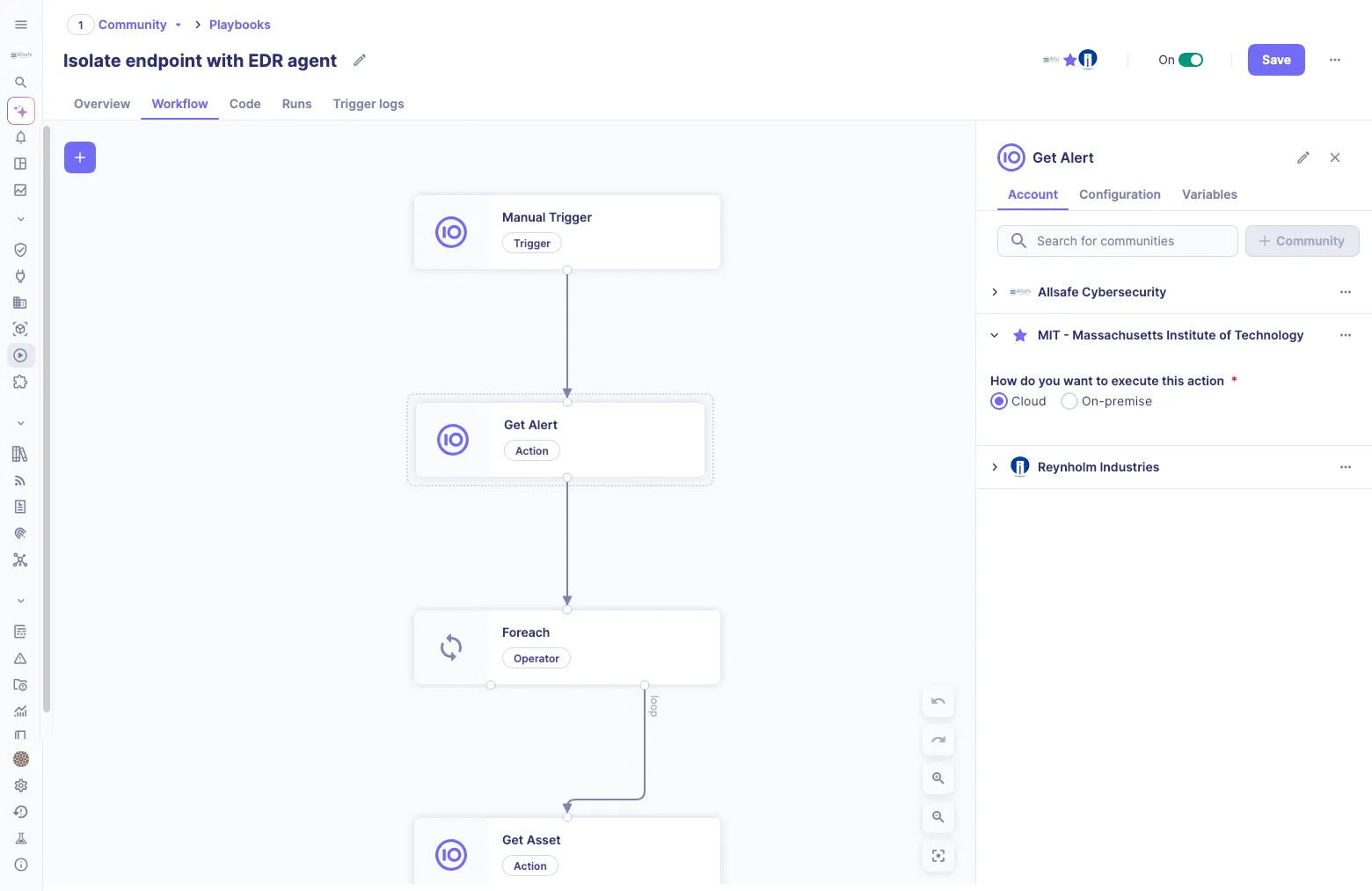
Automation plays a pivotal role in streamlining operations, enhancing security posture, and minimizing risks. However, executing automation tasks can still be challenging for organizations with on-premises infrastructure due to technical complexities and constraints.
To address this challenge, Sekoia.io has recently released Playbooks on-prem. This new feature helps to safely execute actions across an on-prem environment, create workflows and procedures for handling various incidents, and streamline incident response. In this way, Playbooks on-prem may appeal to companies seeking to synchronize cloud actions with those executed on-premises.
In this blog post, we examine a typical use case and answer the following questions:
- How do Playbooks on-prem work?
- What are the constraints of different environments?
- How to install and configure Playbooks on-prem without imposing risks and disrupting the incumbent security guidelines?
Understanding the concept behind Playbooks on-prem
At its core, Playbooks on-prem revolve around a playbook runner that facilitates local execution of different actions. SOC teams use this feature to run actions within their local environment while bypassing the constraints of inbound connections. Let’s consider a use case to shed more light on Playbooks on-prem.
Use case
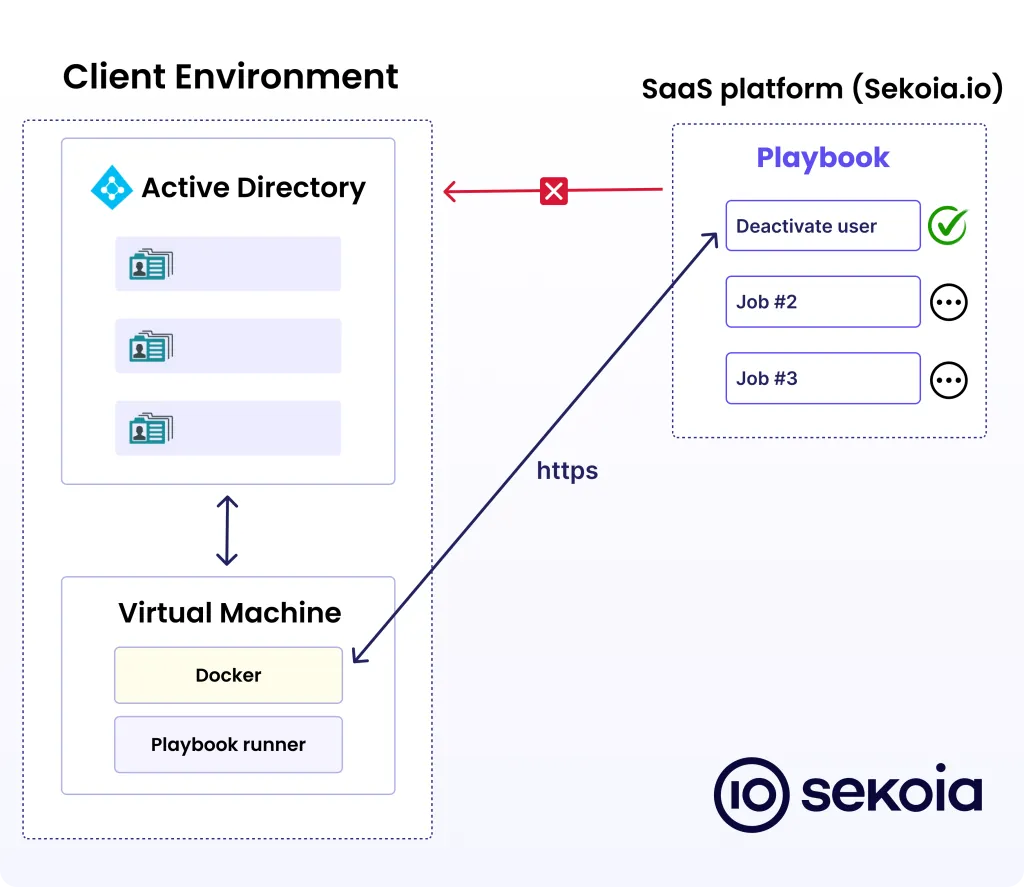
The company leverages the Sekoia SOC platform to reveal different types of threats and faces the need to execute actions within the local environment. In this case, the client might need to automate the deactivation of users within their Active Directory.
Although Active Directory serves as a main repository for users, groups, and organizational unit information, external communication with it is restricted. Due to the limitation of inbound connections, the playbook can’t directly connect to the client environment and take action on-prem.
As a solution, the Sekoia team offers an on-prem playbook runner to be installed within the client's environment.
How Playbooks on-prem work
For the AD use case, the Sekoia team suggests launching a virtual machine with a playbook runner and Docker on the client's environment. Playbook runner periodically sends requests to the Sekoia SOC platform to check for pending tasks. During this process, the Sekoia SOC platform communicates task details to the playbook runner following the automation requests configured by the SOC analysts.
On the reception of an automation request, the on-prem agent orchestrates and configures the underlying playbook actions. Each playbook action is encapsulated in a Docker image. Therefore, disabling Active Directory users by interacting with the local Active Directory instance becomes possible.
Playbooks on-prem
For accurate synchronization, all systems await confirmation of successful task completion. After disabling the user, the playbook runner reports to the Sekoia SOC platform. As soon as the action confirmation is received, the playbook proceeds to the next task and dispatches it to the playbook runner.
The encrypted communication channel between a playbook runner and the Sekoia SOC platform is a cornerstone here. In some corporate environments, relying only on HTTPS with TLS (or SSL) to encrypt requests and responses doesn't guarantee complete data security. When the HTTPS request reaches the client's proxy, it may be converted to HTTP. To support this situation, we added another SSL encrypted layer on top of the HTTPS channel. This way, the communication remains encrypted, regardless of potential protocol conversions or other vulnerabilities within the network.
When developing Playbooks on-prem, we prioritized simplicity and security. As a result, this easy-to-use solution can be safely leveraged with any actions in Sekoia.io playbooks. In addition, Playbooks on-prem are gaining popularity among our clients since most providers focus on actions executed exclusively in the cloud or on-prem while we offer a universal solution
Georges Bossert, Chief Technology Officer at Sekoia
Playbooks on-prem: prerequisites and installation guidelines
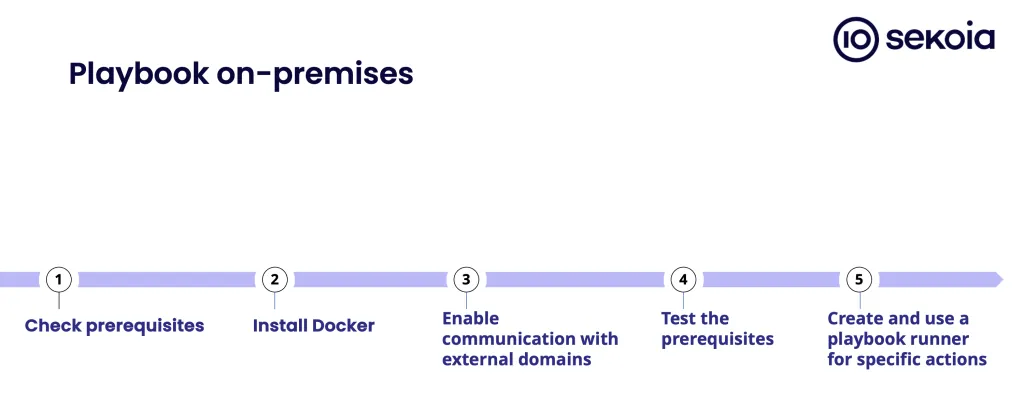
To embark on your journey with Playbooks on-prem, a few prerequisites must be met:
- Authentication key: Obtain an intake key for seamless authentication.
- Docker Accessibility: Docker should be readily accessible to the playbook runner.
For optimal performance, your host system must meet the following specifications:
- Memory: A minimum of 16GB RAM.
- Storage: 150GB HD.
- Processor: Preferably, have a minimum of 2 CPUs, with 4 CPUs being ideal for smoother operation.
As there is no inbound communication between the local environment and the Sekoia SOC platform, you’ll need to establish an outbound communication channel between the playbook runner installed within your domain and our platform. Therefore, you’ll have to authorize and set up a VM within your domain to communicate with several well-known external domains for pulling module images, sending execution results, and storing files.
Step-by-step implementation
First, install and configure Docker on your system according to the provided platform-specific instructions. We offer our clients the option to execute a specific command and check the output to ensure the setup is correct. This command will initiate the image download, verifying whether the host system can access the Docker registry and establish connectivity with Sekoia.io. The output should be similar to the example provided in our documentation.
Then, kickstart the installation process by creating a playbook runner. Optionally, you can assign a name to the playbook runner for easy identification.
Check out our public documentation for more details on how to install Playbooks on-prem.
How to use Playbooks on-prem
Now, you’re ready to execute any actions from the playbook catalog locally. All the reports generated by the installed playbook runners will be available on the Sekoia SOC platform (Playbook menu > Playbook runners).
Wrapping up
Playbooks on-prem are a versatile solution for running actions within a local environment. Use cases aren't limited to the access management in Active Directory. In fact, you can open up many new automation opportunities, including control of IP addresses. Last but not least, this automation implies simplicity and flexibility, and our team is always ready to support clients on their way to installing, configuring, and leveraging Playbooks on-prem.